
- Navigate to the “Platform” section from the left sidebar menu.
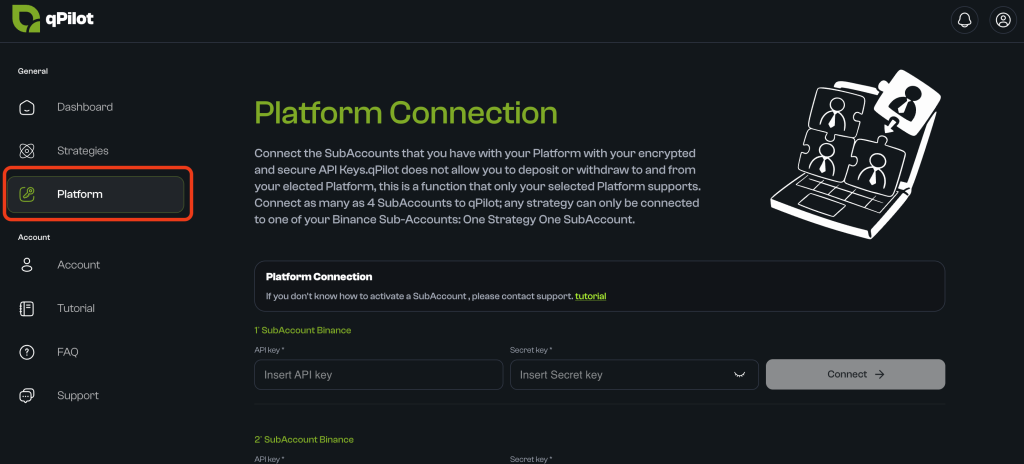
- The connection management page will open.
- You will see 4 available slots.
- Each slot represents a sub-account you can connect.
- Initially, they will be empty/gray (inactive).
Connect the Sub-Account
IMPORTANT:
- Do not connect the same sub-account to more than one qPilot slot.
- You must create and use only one API key for each sub-account. Do not create multiple APIs for the same sub-account.
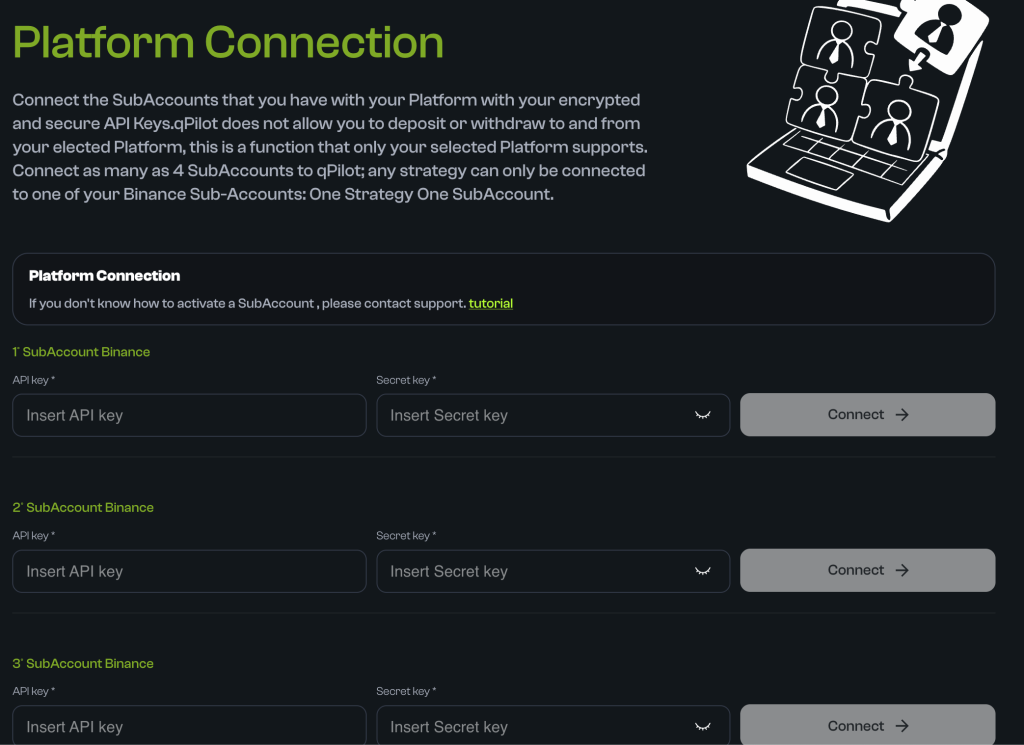
- Click on the first available empty slot.
- API Key: Paste your API Key in the “API Key” field.
- Secret Key: Paste your Secret Key in the “Secret Key” field.
- Click on “Connect“.

Verify the Connection
If everything went well:
- The slot changes color from gray (inactive) to green (active).
- The USDC Balance of your sub-account appears.
- Verify the balance: Check that the shown balance matches what you deposited (e.g., if you deposited 200 USDC, you should see “200 USDC”).
- If the balance is correct, the connection is perfect!

Is this page helpful?