
If the “Enable Spot & Margin trading” flag is not selectable:
STEP 1:
Log in to your MAIN ACCOUNT (not the sub account, but your primary Binance account)
STEP 2:
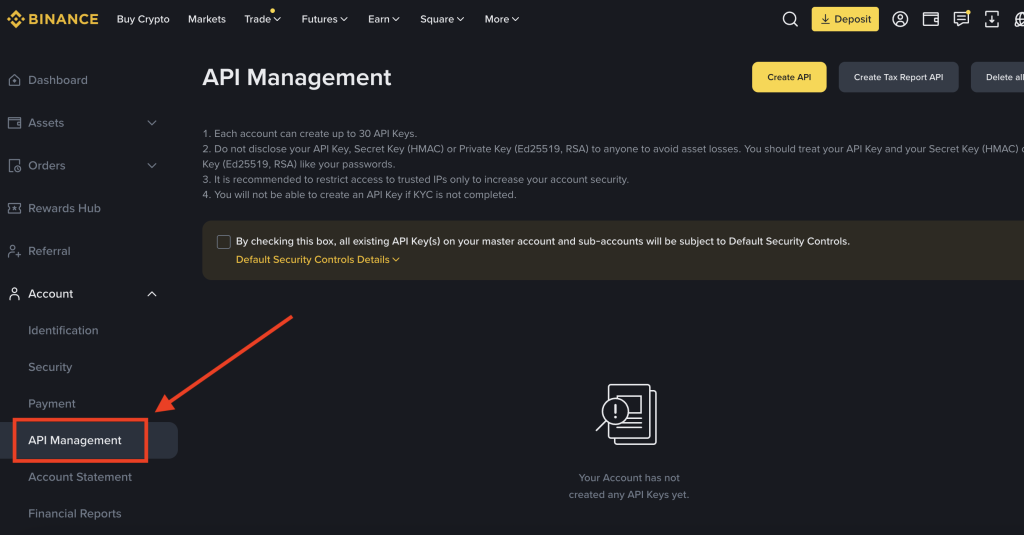
Visit the API MANAGEMENT page in the side menu, you can find it under the ACCOUNT section
STEP 3:
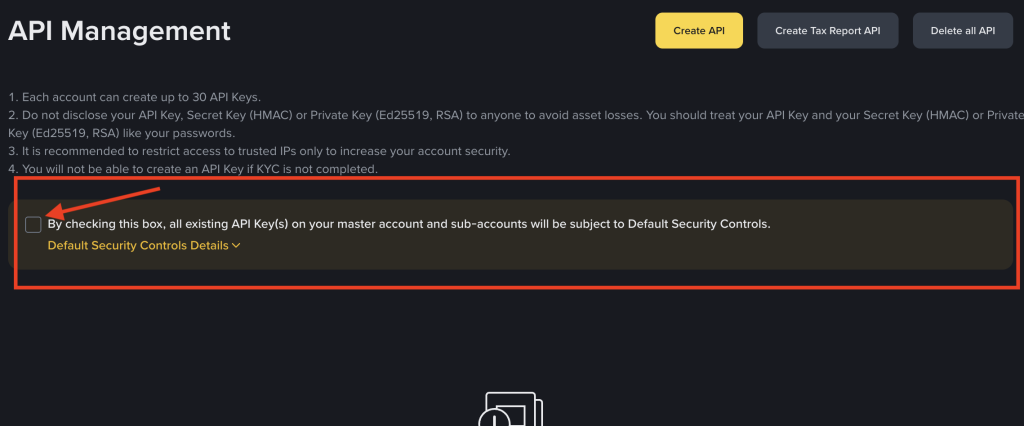
REMOVE the checkmark for Default Security Controls.
STEP 4:
Log out of the main account and log in to the Sub Account
STEP 5:
Generate the API keys by following this tutorial: API KEY CREATION
STEP 6:
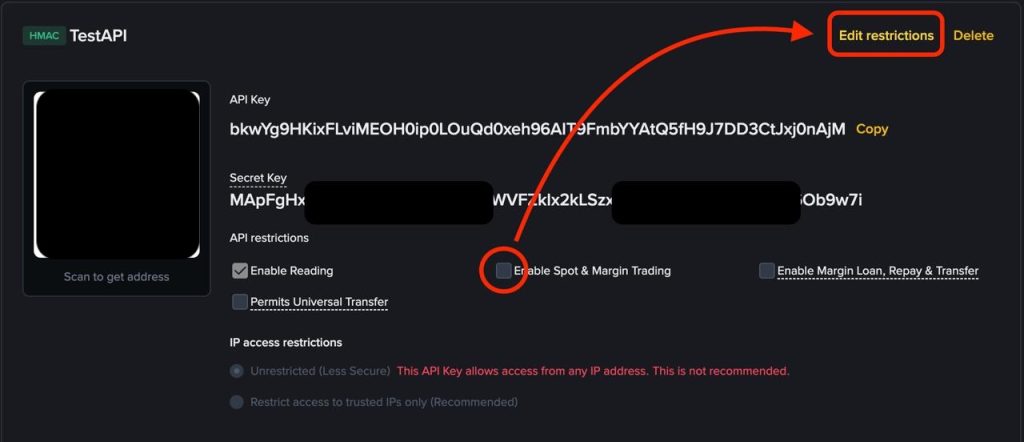
- On the final step click on “Edit Restrictions”
- check the Enable Spot & Margin Trading Box.
- Save the change.
Is this page helpful?